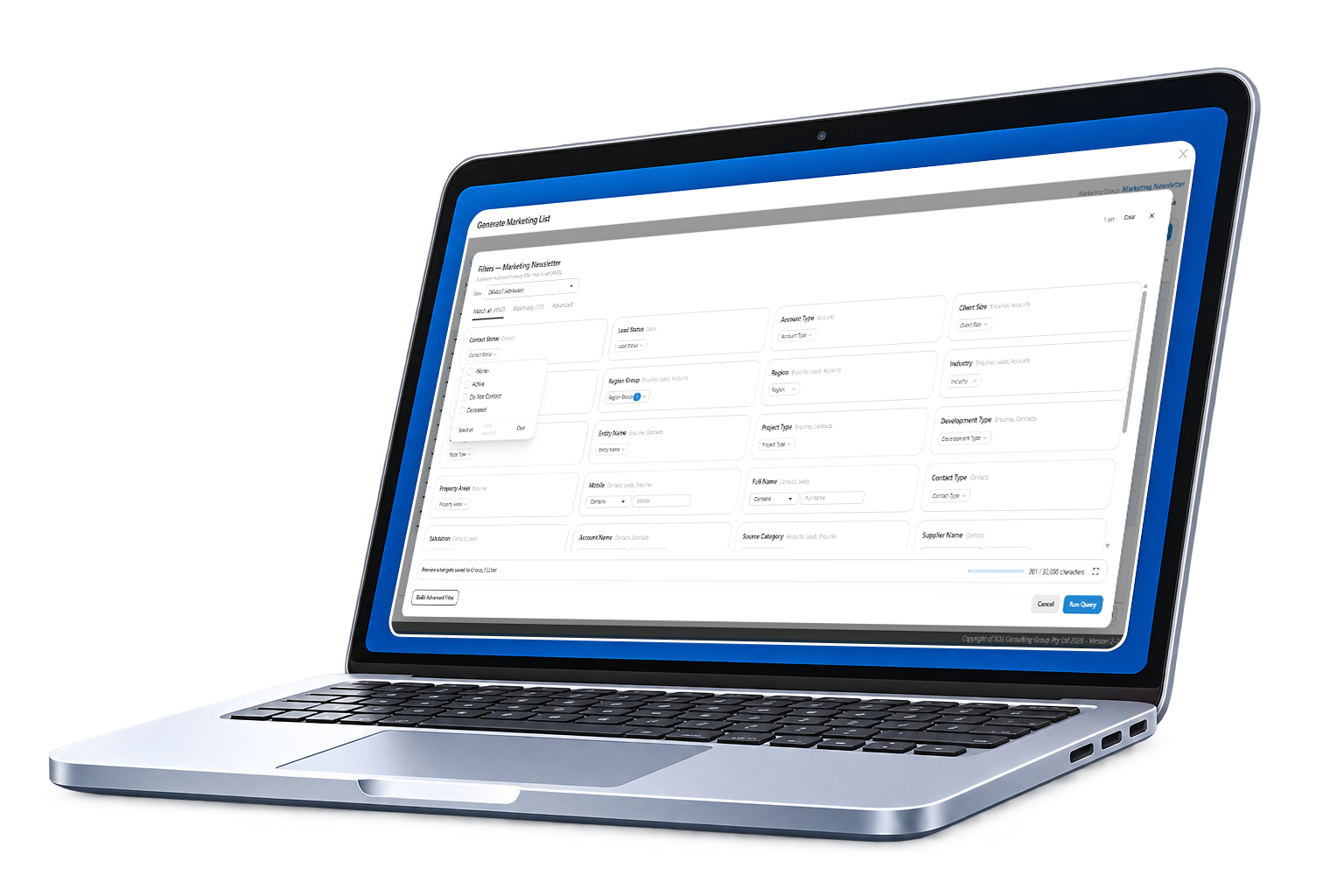
The opportunity for your next campaign could already be sitting in your CRM. The challenge is finding the right people—and bringing them together without hours of manual sorting.
Zenro Consulting’s Generate Marketing List widget makes that easier. Built exclusively by Zenro and powered by Zoho, it helps you identify, review and organise leads and contacts into marketing groups using the business information you already hold.
Available across all Zenro vertical solutions, this release brings together precise audience selection, AI-assisted filtering and a clearer picture of your marketing reach.
Describe your audience. Let AI build the filters.
You know who you want to reach. Translating that audience into complex filter conditions can take more thought.
With Build with AI, you can describe your criteria in plain language. The AI interprets your instructions and generates the filter conditions for you to review before applying them.
For example, you might describe an audience of active contacts in a particular region, linked to selected account types. Using the available fields, AI helps turn that request into structured filtering logic.
You stay in control: review the conditions, apply the logic, run the query and check the matching records before generating your list.
It’s a practical example of AI integrated into everyday work—helping your team move from an idea to an actionable audience.
Target with precision
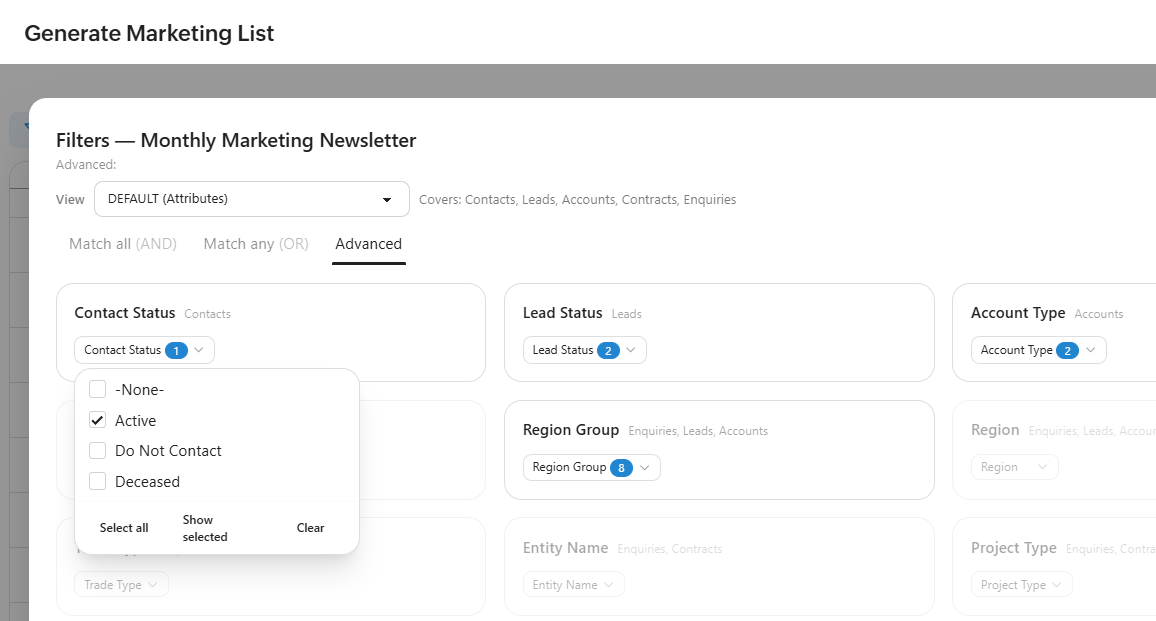
For hands-on control, choose records that match all your conditions, any of your conditions, or a more detailed combination of both.
Advanced filtering lets you group conditions together, so your audience can reflect how your business actually operates. Combine criteria such as contact status, lead status, account type, region or project type to create more relevant campaign audiences.
The widget supports up to 20 selectable filter fields, with configurable views and access by user profile. Your team can work with the fields that matter to their campaigns.
Build your list around the channel
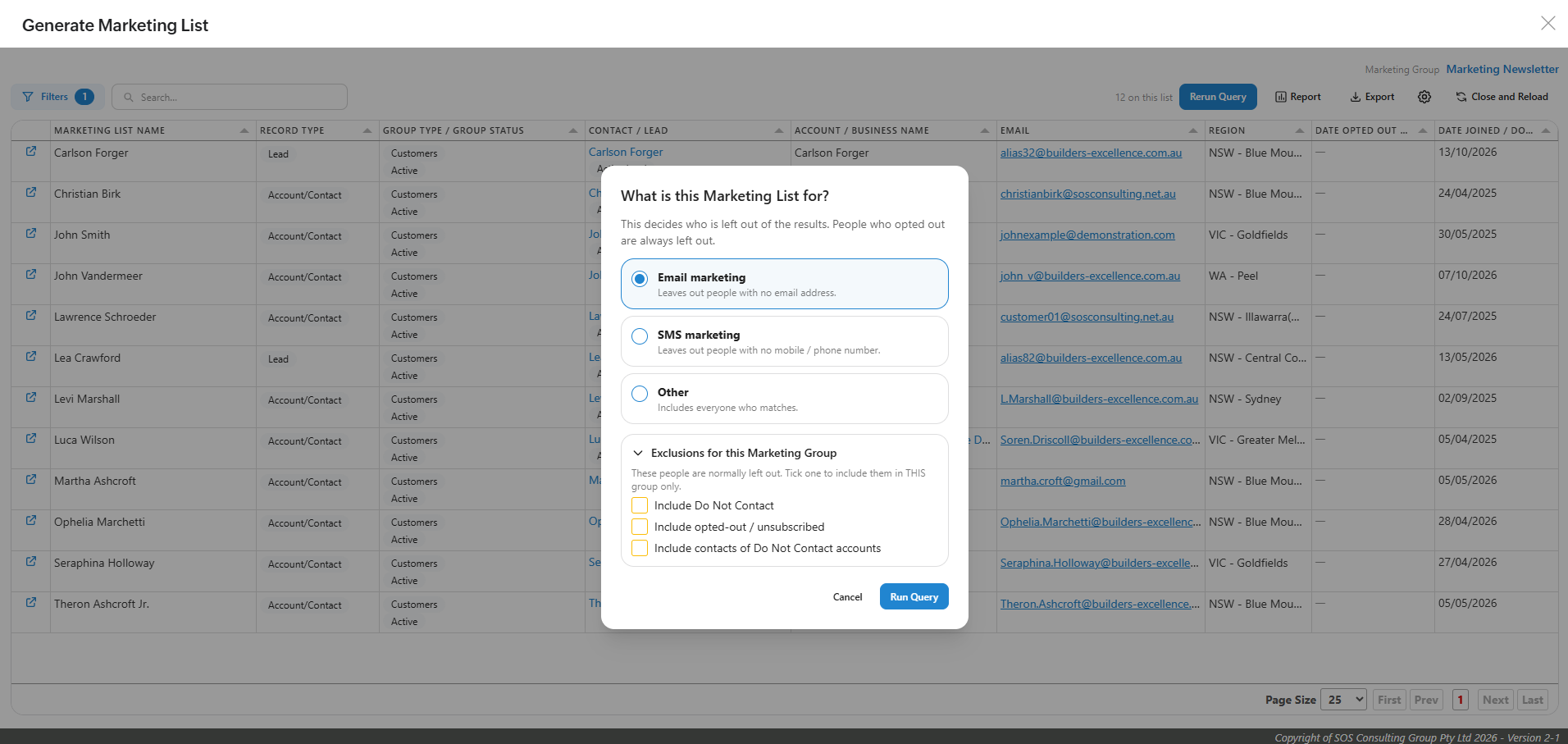
Whether you’re preparing an email campaign, an SMS campaign or another marketing activity, the widget lets you select the list’s purpose.
Email and SMS selections take the availability of the relevant contact details into account, and records marked as opted out of marketing are automatically excluded.
You can then review the matching leads and contacts, untick anyone you don’t want included, and add your selected audience to the marketing group.
Keep refining without starting again
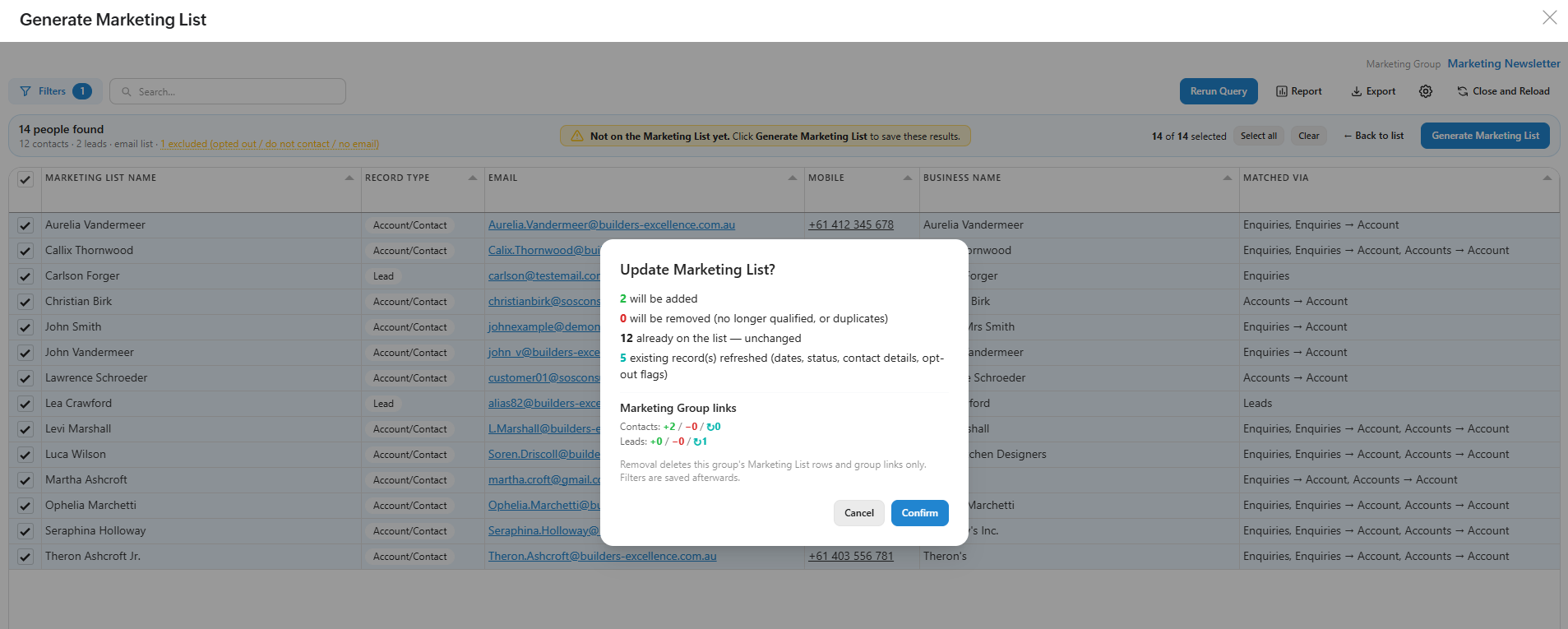
Your filters are retained, making it easy to return, adjust your criteria and regenerate the list as your needs change.
Marketing list membership is managed separately from the original CRM records. Removing someone from a marketing list keeps their underlying lead or contact record intact.
That means less repetitive administration and more flexibility to refine your audience.
See the businesses behind the email addresses
A list of 200 contacts doesn’t necessarily represent 200 potential customers.
If 20 contacts work for the same company, you have 20 people to engage—but one business account behind those relationships.
Alongside lead, contact and marketing email totals, the marketing group shows unique accounts and unique suppliers, giving you a clearer view of the organisations represented in your audience.
That context helps you assess campaign reach and interpret conversion results more meaningfully.
Make more of the data you already have
From regular newsletters to carefully targeted campaigns, Generate Marketing List helps your team turn CRM information into focused marketing action.
Define your audience. Build the logic with AI. Review the results. Generate your list.